

Background
AiTM proxy phishing is still one of the most effective techniques for bypassing MFA. Put a reverse proxy between the victim and the real site, capture the session cookies in transit. Tools like Evilginx made this accessible for red teamers and the technique still works against most targets today.
Some targets are harder though. Google has solid AiTM defenses. Other providers have every opportunity to follow. Device bound session tokens are not widespread yet but the technical groundwork is there, and AiTM proxy defense is something detection products keep getting better at.
Tools like CuddlePhish
take a different angle. Instead of proxying the target site, they stream the entire thing rendered
in a real browser back to the victim. The login happens in a real browser and bypasses all the
AiTM defenses.
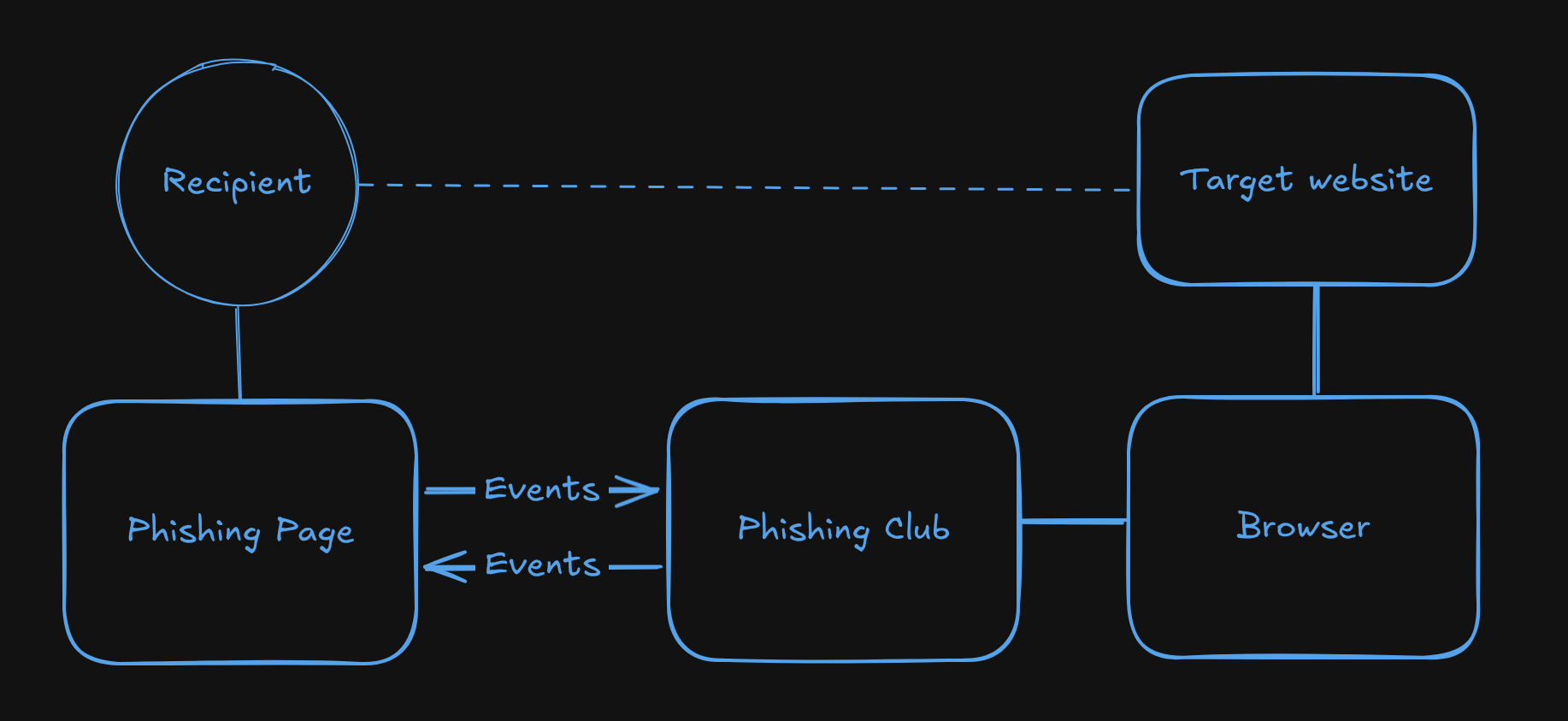
Remote Browser phishing is very similar to this method, the browser runs on the server, same
as with CuddlePhish, but the victim sees a phishing page you designed rather than a stream from
the remote browser. The phishing page and the remote browser are completely detached from each
other. Only custom events pass between them.
Kuba Gretzky showcased a take on remote browser phishing in this talk and I think Carlos Quintana also uses the same or very similiar technique in the MalDev Academy phishing course as seen on X.
How it compares
With AiTM phishing, done correctly, you get a perfect copy of the targeted website. The downside is you have to handle all the proxying, rewrites and bypass AiTM defenses.
CuddlePhish sidesteps the rewriting problem completely. The victim sees the real browser rendering the real site. Clean, effective, works well.
Remote Browser Phishing gives you something neither of those do: full control over what the victim sees. The real site runs in the background. The victim interacts with a page you built. You decide when to move them forward, what to show them, and what the browser does in the background at each step.
- The phishing page looks and behaves exactly how you design it.
- You can intercept at any point: wait for MFA, display the real MFA element inside the phishing page, navigate to additional pages, automate the next steps.
- The session lives in your browser. If the target uses device bound cookies, they are bound to a device you control.
After authentication completes you can capture the session and import it into another browser using Session Sushi, or keep the remote browser open and take it over directly.
The tradeoff
Remote Browser phishing is more computationally expensive, and takes more work to set up. You build the phishing page, write the automation script and handle the event flow between them, it isnt super easy, and just like with AiTM phishing changes to the target or unknown flows might crash a good lure.
The detection surface shifts too. Your browser is making the requests to the target, so IP reputation and browser fingerprinting become the challange to manage. Combatting bot detection might in the long run bring more benefits for phishers than the challanges associated with AiTM.
What Phishing Club provides
A framework to build from, it includes:
Remote Browser Editor - It allows you to script the remote control and event handling to and from the remote browser in Javascript, with auto complete and basic error handling. It also has Live testing and remote control views, so you can send events, see logs, monitor or even control the remote browser. The API provides basic functionality to navigate, inspect, capture and even do basic image streaming of DOM elements in the browser.
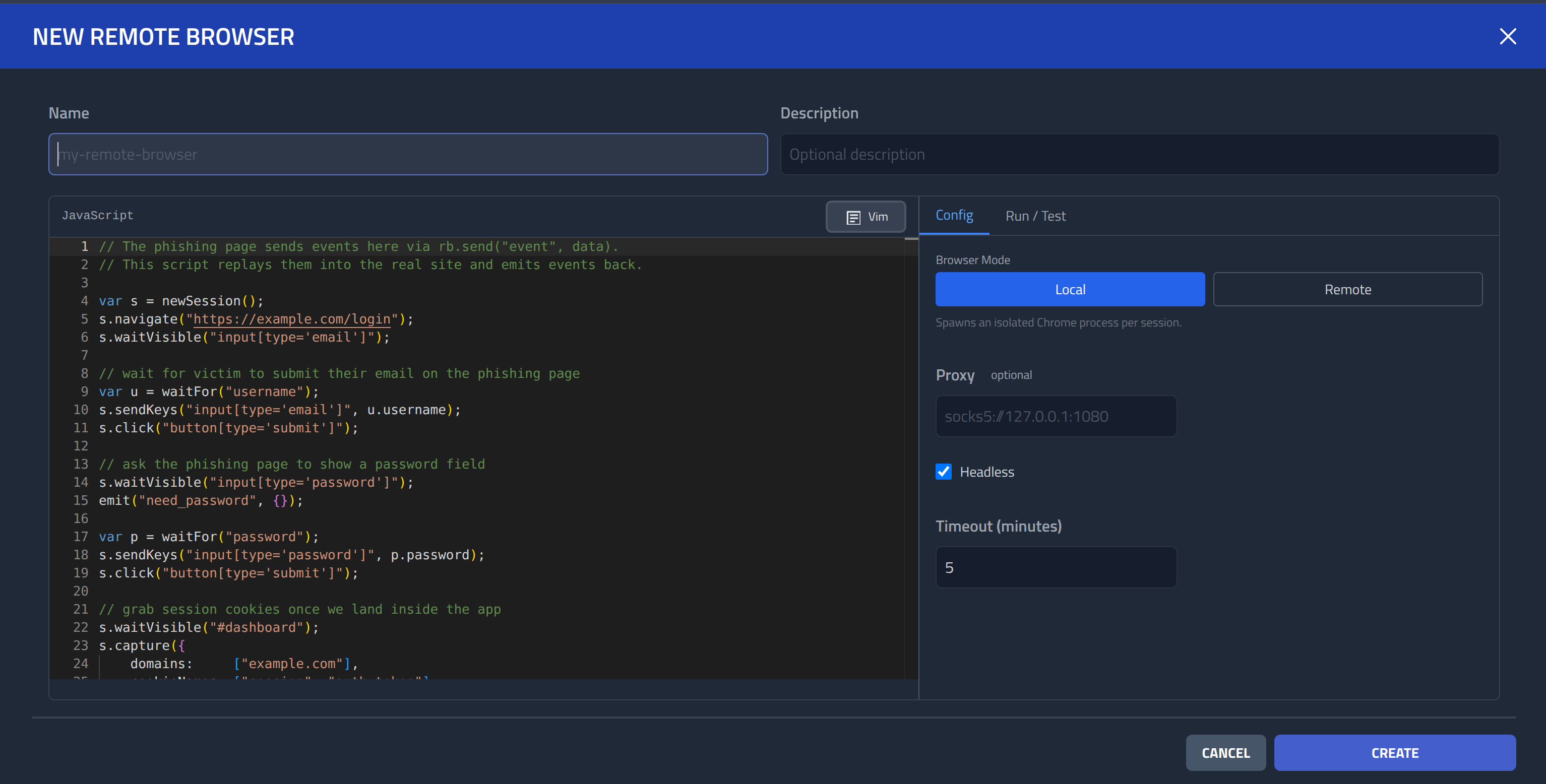
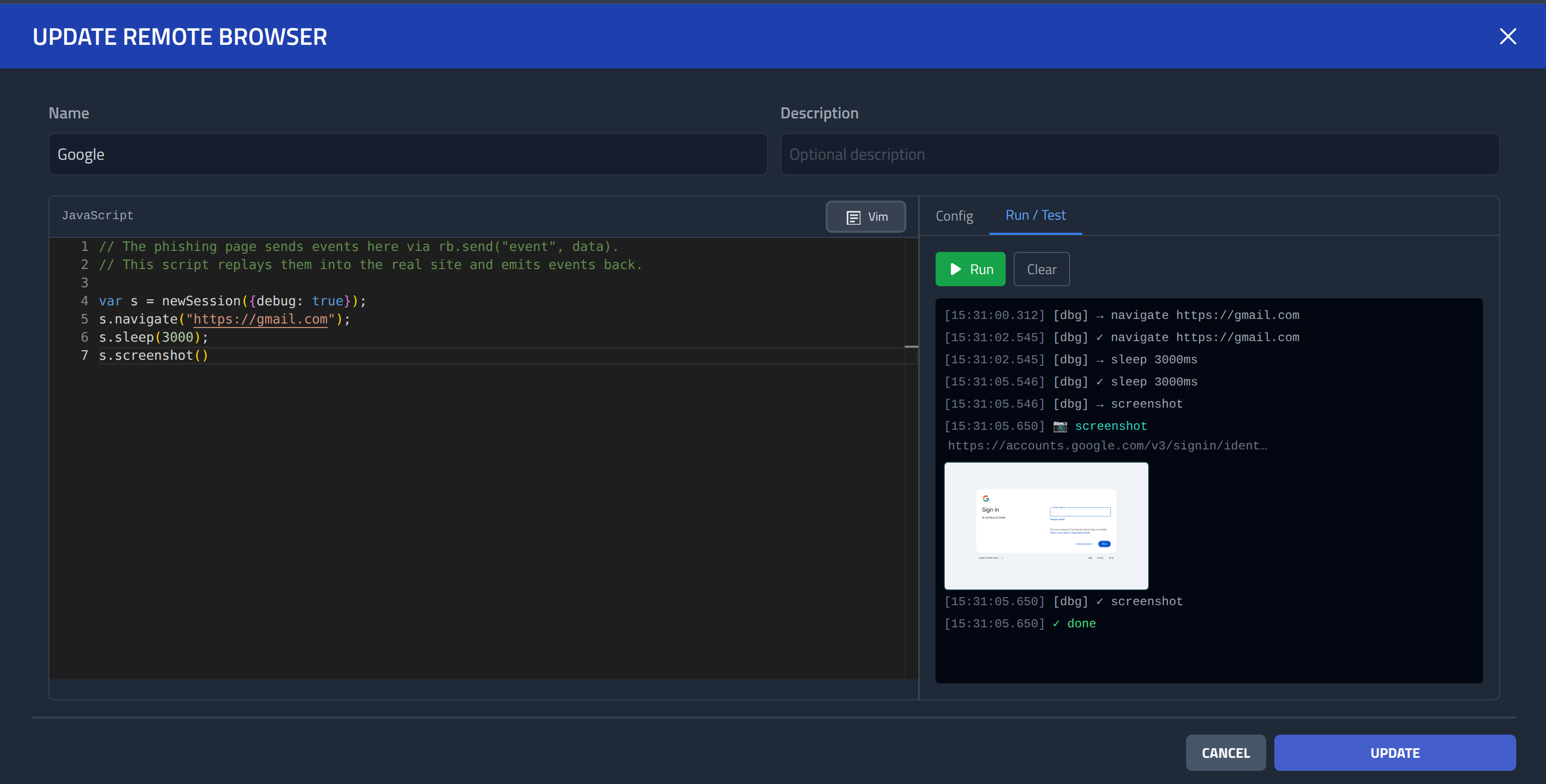
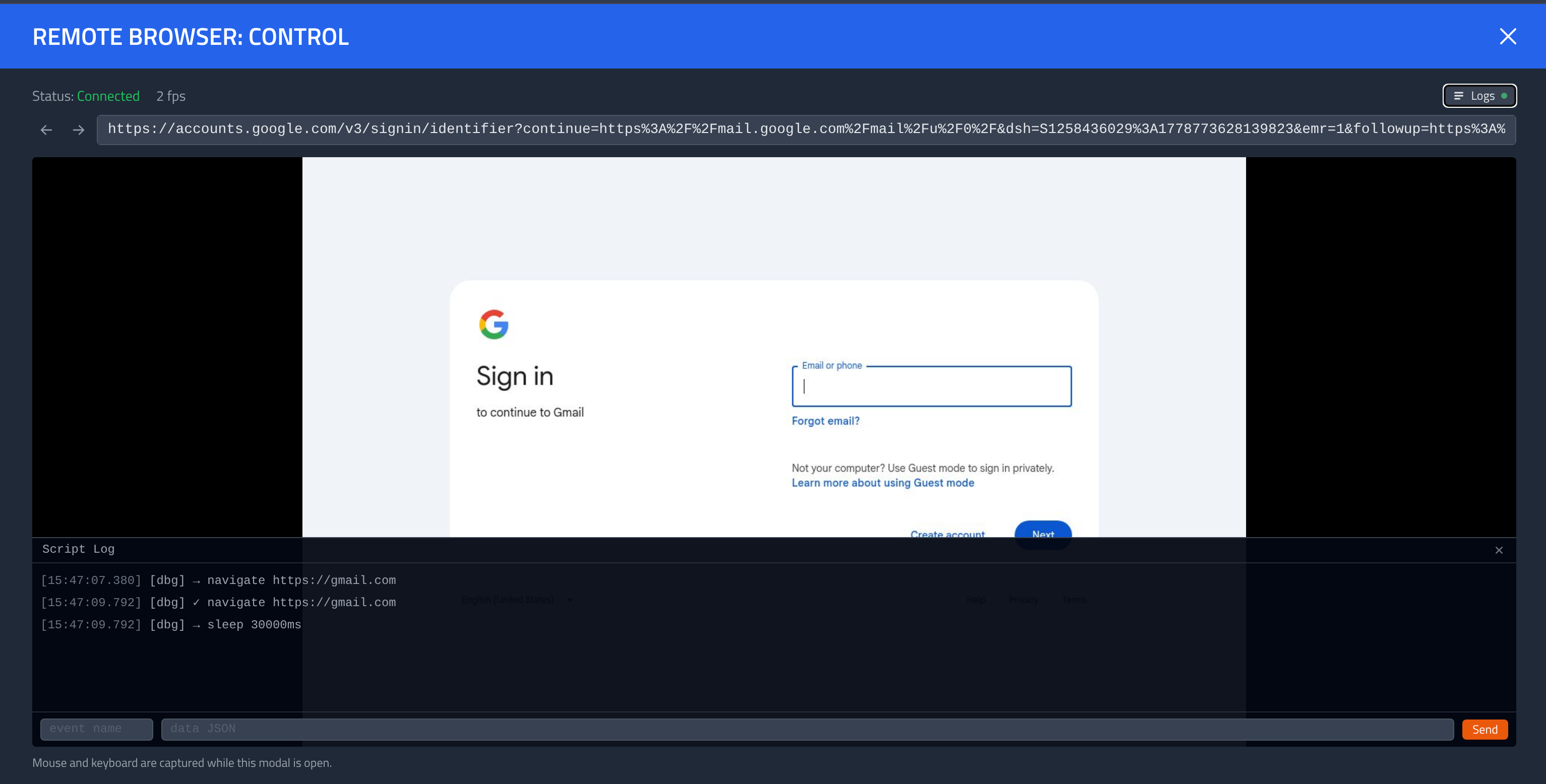
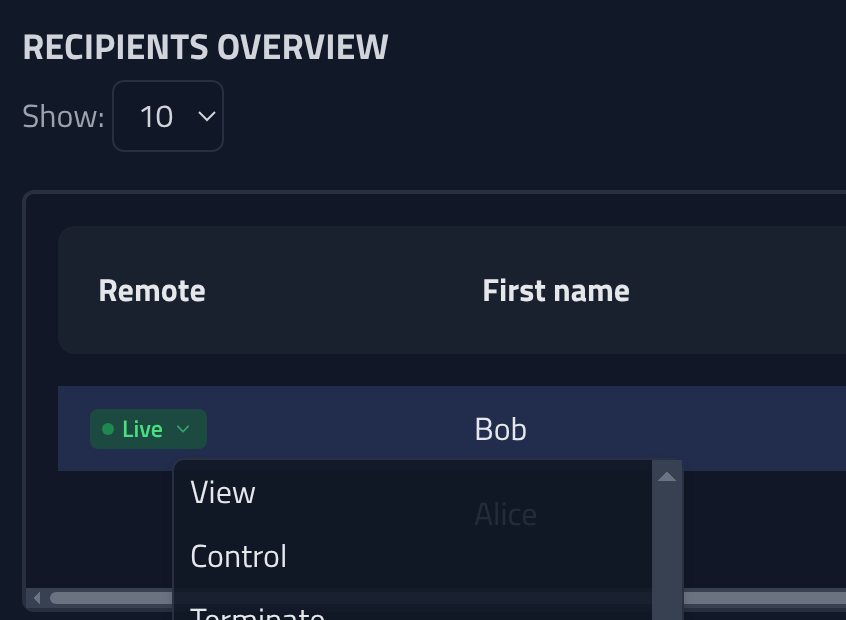
In campaigns you can now view and control live sessions, I recommend you capture the session in any case, but this gives you the control to takeover captured sessions and continue in the same browser as the login actually happend in.
All the functionality is still experimental, and requires tinkering, but so far it has worked against targets like Google and Proton, which have very annoying AiTM defenses. There are still lots of improvements to be made but I welcome you to try it out and see how far you can get, and what deceptive flows like double tapping MFA you can come up with.
Phishing Club does not provide bot bypasses or configurations.
Getting a Remote Browser setup to work will require .. some work! I recommend setting up a local development instance and reading the docs.