

Filtering
Filtering provides access control for your phishing campaigns by controlling access to landing
pages and proxies based on IP addresses and TLS fingerprints. Filtering is not a primary
security measure but a feature to allow or deny access based on simple lists. IP filtering can
be bypassed using IP forwarding headers unless the phishing server sits behind a trusted
reverse proxy. When ip_security.trust_proxies is configured, forwarded headers
are only honoured from those proxy addresses, preventing recipients from spoofing their IP.
Configure filters during campaign creation in the Options section. Custom deny pages
can also be configured to display alternative content to unauthorized visitors.
Overview
The filtering overview shows you all available filters and whether they are allow or deny lists.
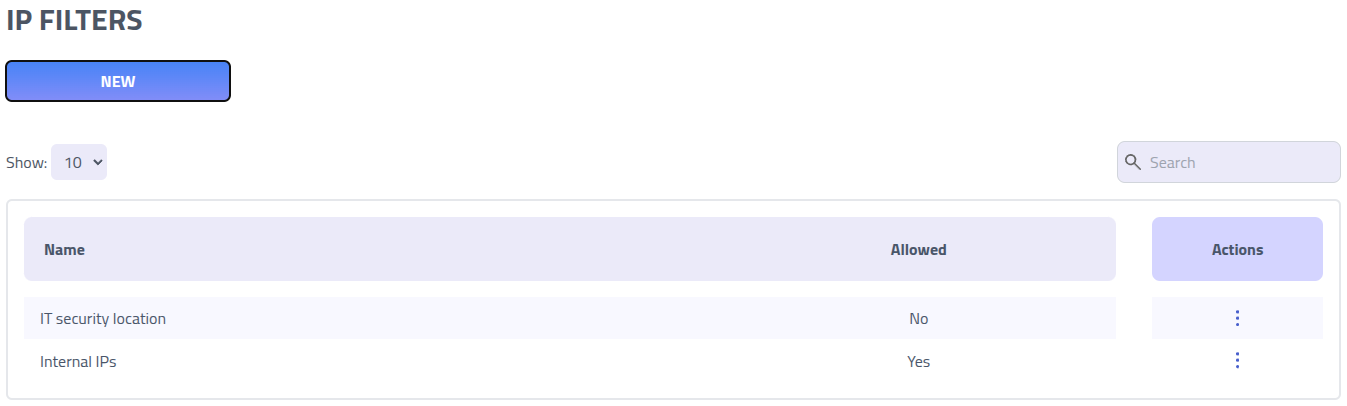
Click on the name of a filter to edit it.
Create new Filter
Filter rules use CIDR notation for IP addresses and JA4 fingerprints for TLS client identification. These rules can be configured as either allow lists (permit only specified IPs/fingerprints) or deny lists (block specified IPs/fingerprints while allowing others).
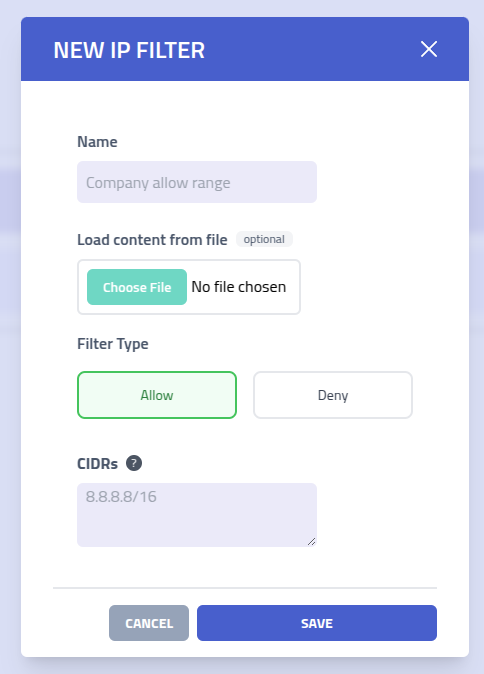
| Setting | Description |
|---|---|
| Filter Name | Descriptive name to identify this filter rule set |
| Filter Type | Choose between Allow (permit only listed IPs/fingerprints) or
Deny
(block listed IPs/fingerprints) filter behavior |
| Header rules | Rules for matching HTTP headers with regular expressions. Both header name and value
are case sensitive by default. Use the (?i) inline flag in a pattern to
make that pattern case insensitive. Both must match. |
| CIDR Ranges | List of IP address ranges in CIDR notation. Single IP addresses are automatically
converted to /32 notation for precise matching |
| JA4 Fingerprints | List of JA4 TLS fingerprints. Supports wildcard patterns using * to match partial
fingerprints |
JA4 Fingerprints
JA4 is a TLS client fingerprinting method that identifies clients based on their TLS handshake characteristics. This allows you to filter traffic based on the client's browser, operating system, or TLS library.
Wildcard Support
JA4 fingerprints support wildcard patterns using the * character to match any sequence
of characters. This enables flexible filtering based on partial fingerprint matches.
| Pattern | Description |
|---|---|
t13d151*h2_8daaf6152771_* | Matches any fingerprint with specific TLS version, extensions, and cipher hash |
t13d*_*_* | Matches any TLS 1.3 fingerprint with SNI |
* | Matches all fingerprints |
t13d1517h2_* | Matches TLS 1.3 fingerprints with specific extension and ALPN values |
Filter Behavior
When using both IP and JA4 filtering together, the behavior differs based on filter type:
- Allow Lists: Both the IP address AND JA4 fingerprint must match for access to be granted. If either check fails, access is denied.
- Deny Lists: If either the IP address OR JA4 fingerprint matches the deny list, access is blocked.
If a JA4 fingerprint is not available (e.g., non-TLS connections), the JA4 check is skipped and only IP filtering is applied.