

IP filters
IP filtering provides filtering for your phishing by controlling access to landing pages based on source IP addresses. IP filters is not a security measure but a feature to allow or deny a simple list of ip blocks. IP filtering can by bypassed, by using IP forwarding headers.
Configure IP filters during campaign creation in the Options section. Custom deny
pages can also be configured to display alternative content to unauthorized visitors.
Overview
The IP filters overview shows you all available filtes and if they are an allow or block list.
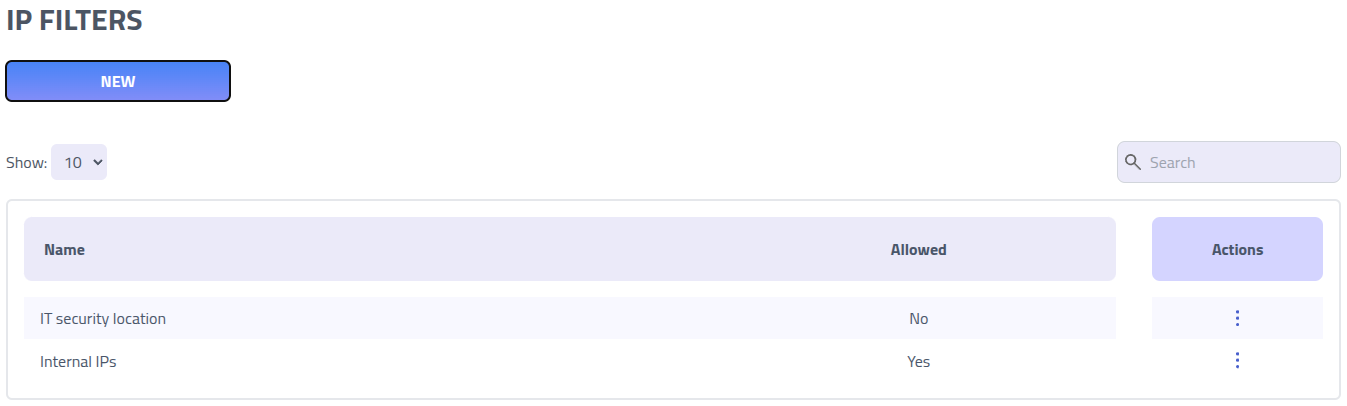
Click on the name of list to edit it.
Create new IP filter
IP filter rules use CIDR notation to define network ranges and access policies. These rules can be configured as either allow lists (permit only specified IPs) or deny lists (block specified IPs while allowing others).
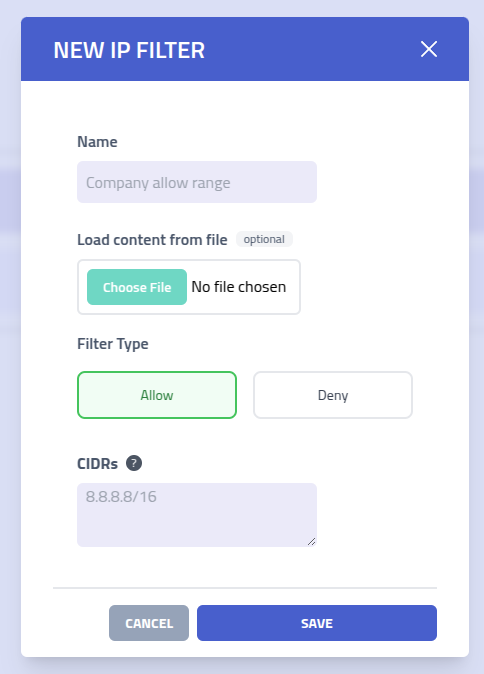
| Setting | Description |
|---|---|
| Filter Name | Descriptive name to identify this IP filter rule set |
| Import from File | Upload a text file containing CIDR ranges for bulk configuration of IP filter rules |
| Filter Type | Choose between Allow (permit only listed IPs) or Deny (block listed
IPs) filter behavior |
| CIDR Ranges | List of IP address ranges in CIDR notation. Single IP addresses are automatically
converted to /32 notation for precise matching |